Do you want a program to design the lighting of sports areas in an automatic, simple and fast way?
If so, Sport Plus, the extra module for LITESTAR 4D Litecalc sports areas, is the ideal solution.
Areas and High Masts Definition
Sport Plus allows you to define:
- the general area of the sports facility, setting both, the origin as per the absolute system of axes and the background color of the surface
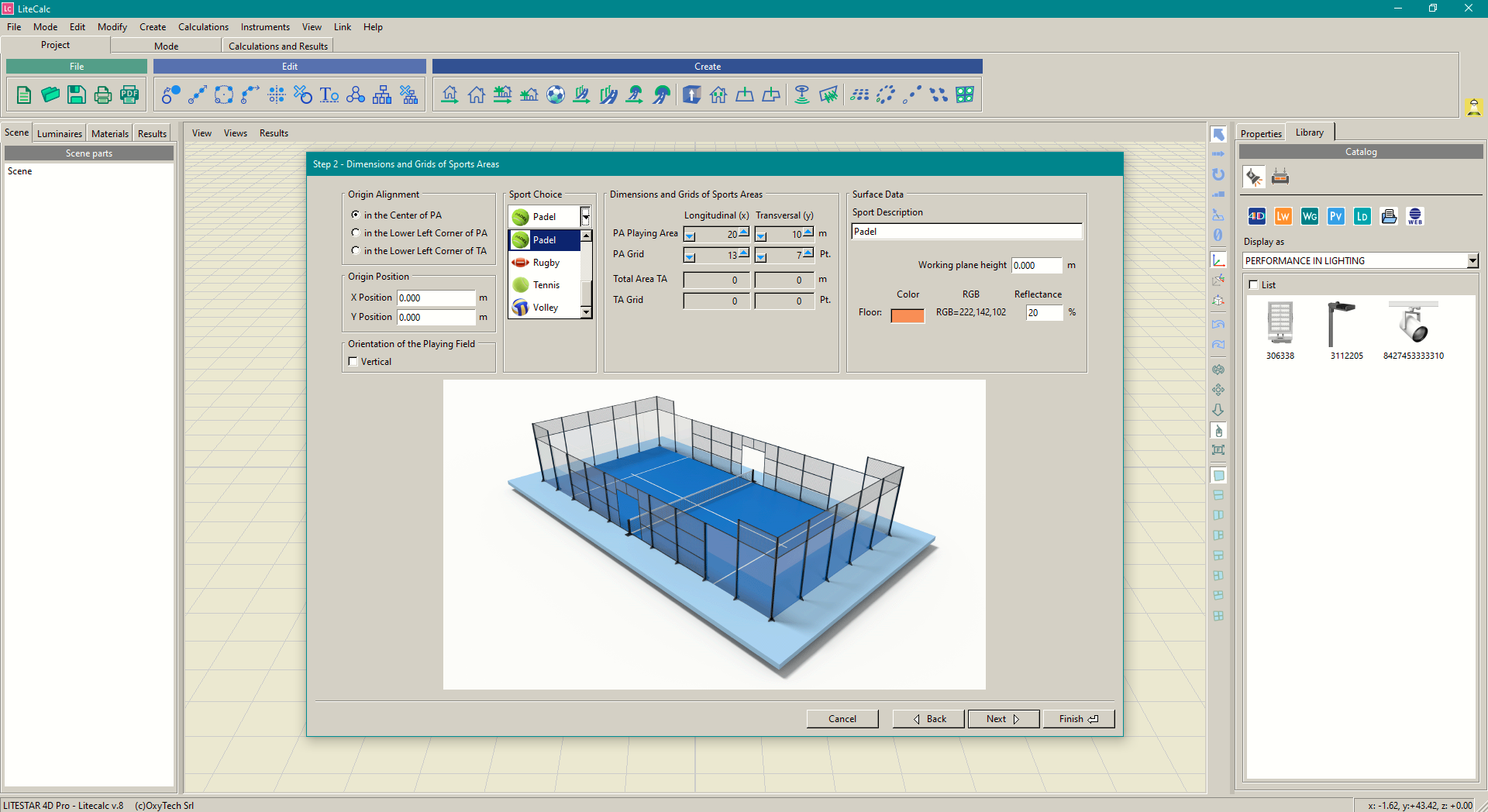
- the playing area by choosing the type of sport, the standard to be applied and the class. The program will show the dimensions of the area and the corresponding calculation grids accordingly. Then, both, the color of the surface and the height of the work plane are defined
- the high mast with the position and height of the panel on which the luminaires must be placed. Then, it is possible to define the type and number of luminaires as well as the spacing between them so that the program can place them regularly on the panel
Once the high-mast and the playing area have been created including the lines of play and the equipment (goals for soccer, rugby, handball, etc... the basketball scoreboard...) the user can can:
- replace one or more luminaires
- move them: which allows arranging the luminaires in irregular positions, such as on the roofs of the grandstands, in non-straight lines, remaining, in any case, part of a group of luminaires
Choice of Reference Standard
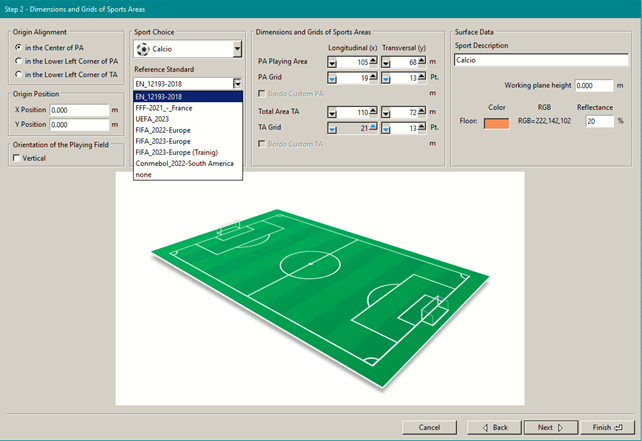
With Litecalc Sport Plus it is possible to performn lighting calculations according to the following international standards:
- Soccer
- EN 12193 2019 – Europe
- FFF 2021 - Federation Française Football
- FIFA 2022 + FIFA 2023 – World
- UEFA 2023 – Europe
- Conmebol 2022 – South America
- Other Sports (Basketball, Five-a-side Football, Handball, Volleyball, Hockey, Ice Hockey, Tennis, Rugby, Padel)
- Generic
- None option, which makes all lighting calculation fields editable, is also available
Graphical and Cartesian Coordinates Aimings
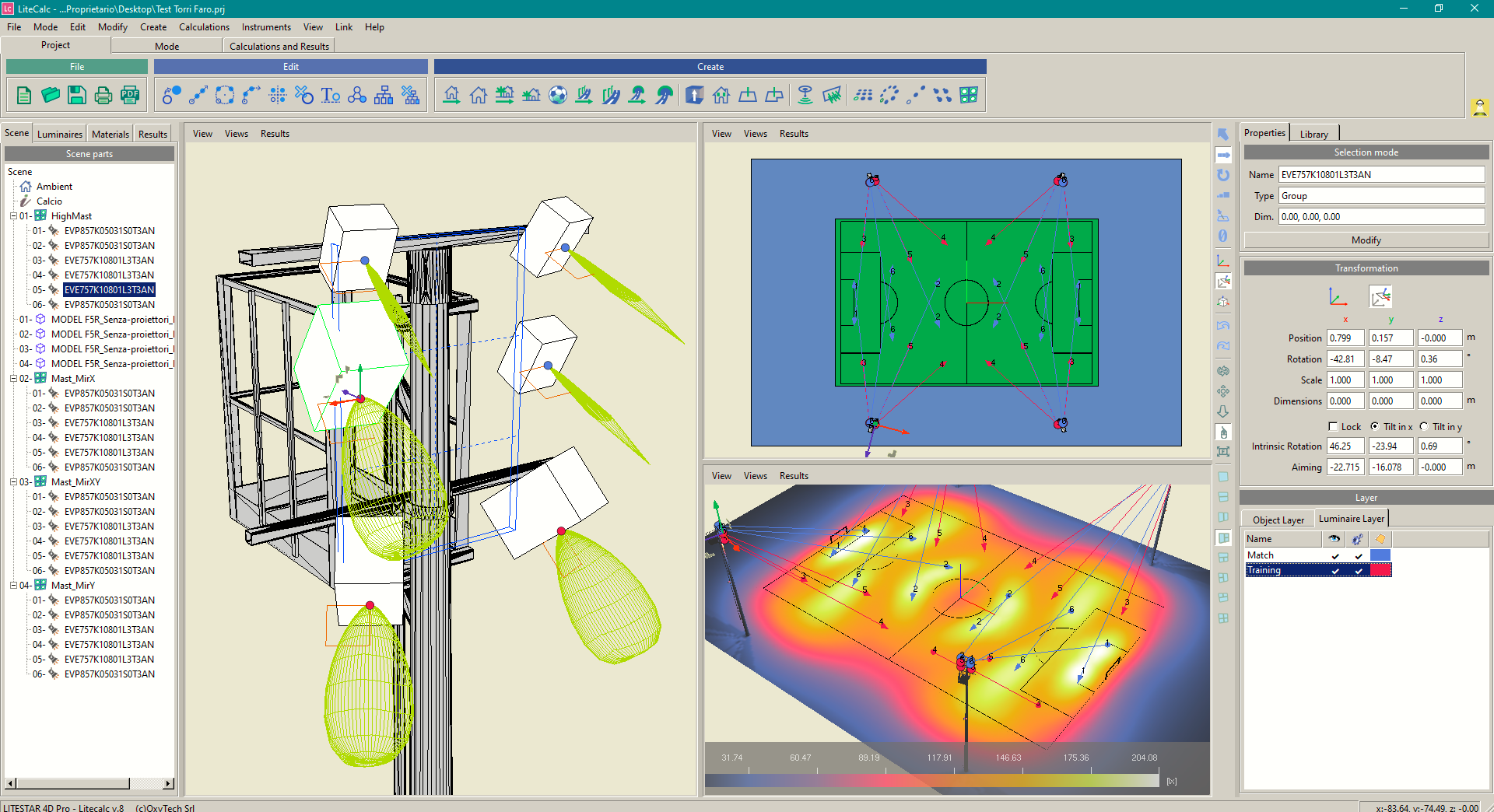
Once the dimensions and grids of both, general and play areas, have been defined, and the light tower with its fixtures, you can aim the fixtures by selecting the appropriate function and the fixture to aim from which to graphically move the aiming point across the area.
You can select the aiming point graphically from the aiming arrow or activate it directly by selecting the fixture graphically or directly from the tree on the left, Scene section.
RealTimeCalc
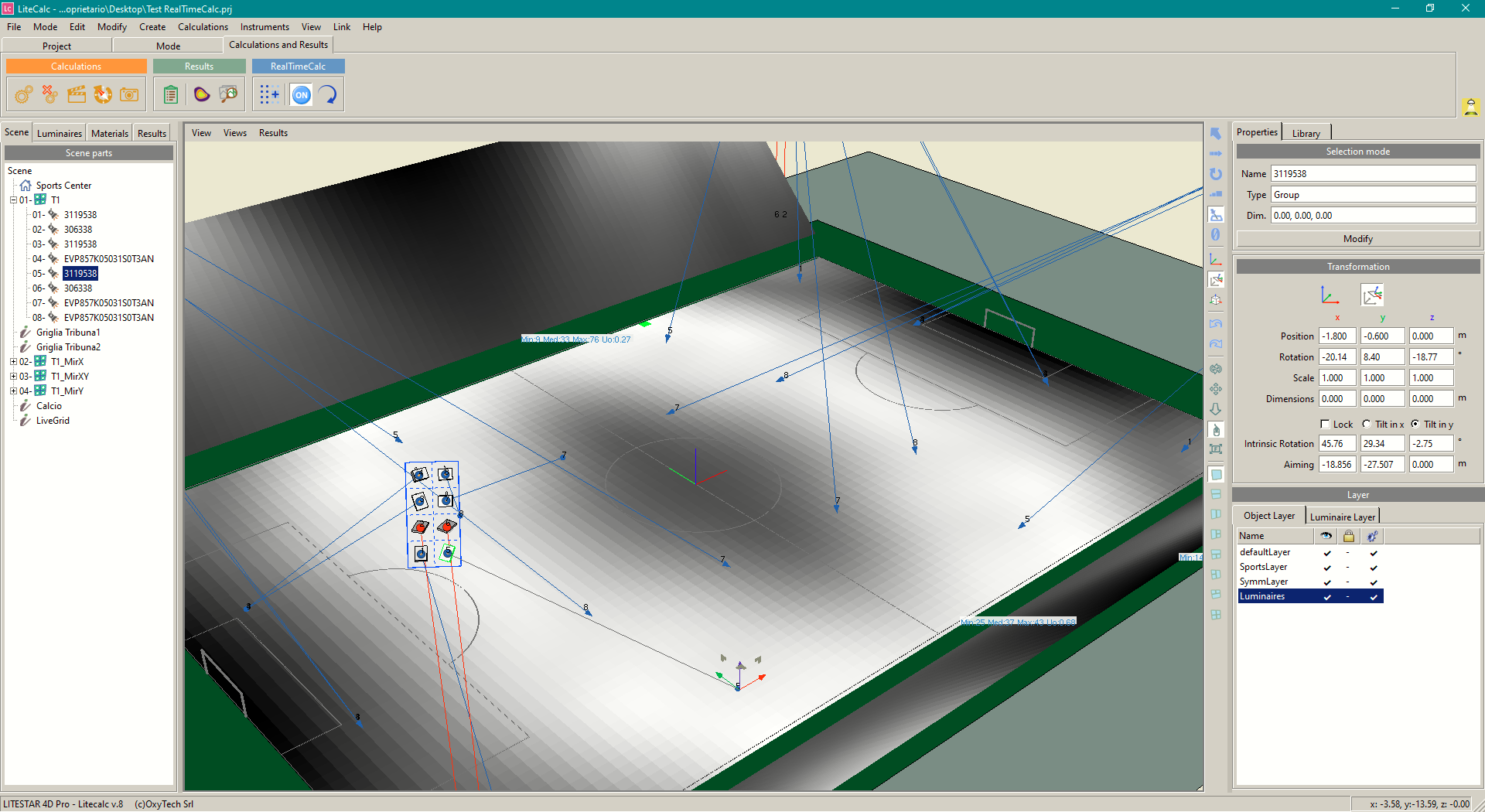
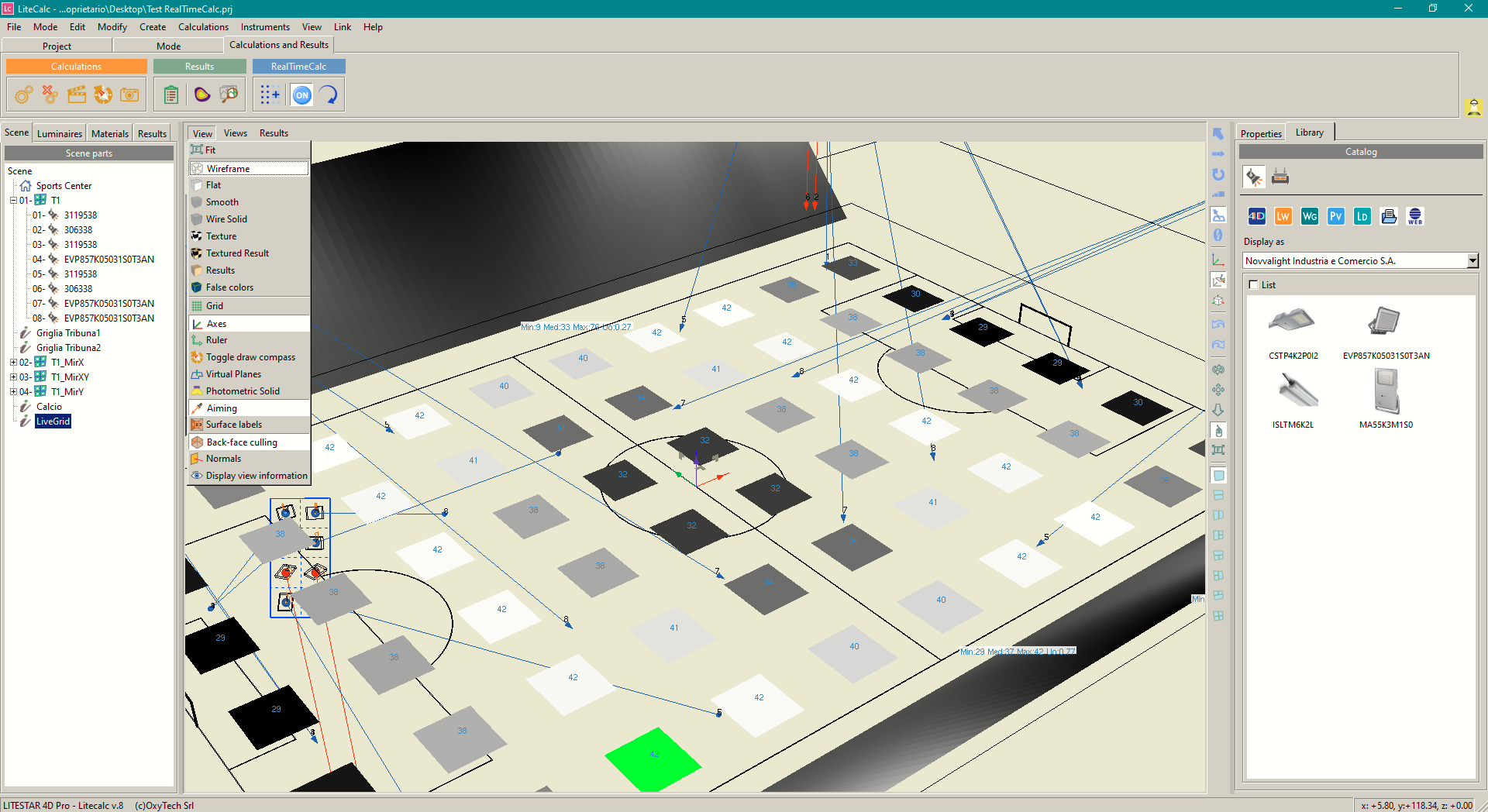
New – the program now features the RealTimeCalc function, which allows to display illuminance values on the surfaces of interest directly during the aiming phase, without having to use calculation functions.
The display can be performed in three different ways:
- by values
- by values with a colored background with shades of gray based on the illuminance values
- by false color
 Watch the video about function RealTimeCalc
High Mast Symmetrization
Once the reference points of the tower have been defined, it is possible to mirror it, using the corresponding icon, according to a simple or double symmetry.
Symmetrization can be simple, along the x or y axis, or double according to the 2 axes.
Results Calculation
Once the calculations have been launched, the program displays all the result charts, such as horizontal and vertical illuminances, GR glare values...
The charts of illuminance values can be processed with uniformity evaluation systems such as the FIFA MAUR or the Gradient.
Watch the introduction film about Sport Plus
References